libcloudstorage
A C++ library providing access to files located in various cloud services, licensed under GNU LGPLv2.1. It is focused on the basic operations on those services.
Supported cloud providers
- GoogleDrive
- OneDrive
- Dropbox
- box.com
- YandexDisk
- WebDAV
- mega.nz
- AmazonS3
- pCloud
- hubiC
- Google Photos (partial)
- YouTube (partial)
Supported operations on files
- list directory
- download file
- upload file
- get thumbnail
- delete file
- create directory
- move file
- rename file
- fetch direct, preauthenticated url to file
Platforms
The library can be built on any platform which has a proper C++11 support. It was tested under the following operating systems:
- Ubuntu 16.04
- Windows 10
- Android 5.0.2
Requirements
jsoncpptinyxml2libmicrohttpd(optional)cURL(with OpenSSL/c-ares, optional)libcryptopp(optional, required for AmazonS3)mega(optional, required for mega.nz)
Building
The generic way to build and install it is:
./bootstrap
./configure
make
sudo make install
Optional dependency notes:
- libcryptopp: when not found,
ICryptointerface needs to be implemented, can be explicitly disabled with--with-cryptopp=no. - libcurl: when not found,
IHttpinterface needs to be implemented, can be explicitly disabled with--with-curl=no. - libmicrohttpd: when not found,
IHttpServerinterface needs to be implemented, can be explicitly disabled with--with-microhttpd=no. - boost-filesystem: when found,
LocalDriveprovider representing local directory will be included, can be explicitly disabled with--with-filesystem=no. - mega: when not found,
megacloud provider will not be included, can be explicitly disabled with--with-mega=no.
FUSE
In bin/fuse there is implemented a user space file system using the fuse library. It will be built when fuse is found (unless explicitly disabled with --with-fuse=no). The file system is implemented using libfuse’s low level API; however a high level API implementation is also provided. The file system supports moving, renaming, creating directories, reading and writing new files. Writing over already-present files in cloud providers is not supported. The file system uses asynchronous I/O to its full potency. It doesn’t cache files anywhere by itself which implies no local storage overhead. Most cloud providers are fast enough when it comes to watching videos; with mega.nz being the fastest and Google Drive being the slowest.
It is possible to run libcloudstorage-fuse under Windows using Dokan’s fuse wrapper.
Usage
To add cloud providers to the file system, first the cloud providers need to be added. This can be done by calling:
libcloudstorage-fuse --add=provider_label
After cloud providers are added, the file system can be mounted using:
libcloudstorage-fuse mountpoint
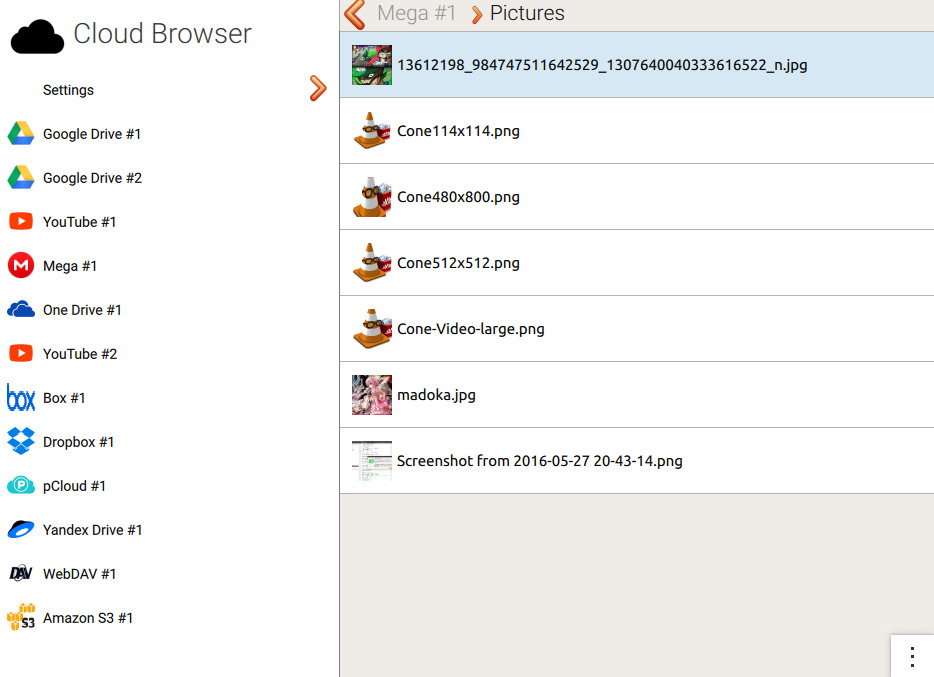
Cloud Browser
In bin/cloudbrowser there is a program which provides an easy graphical user interface for all the features implemented in libcloudstorage. It will be built when its dependencies are found, unless explicitly disabled with --with-cloudbrowser=no.
Cloud Browser dependencies:
Qt5Core,Qt5Gui,Qt5QuickkirigamiQt5WebView— when found, Cloud Browser will use it to present the authorization schemelibffmpegthumbnailer— when found, Cloud Browser will generate fallback thumbnails if a cloud provider doesn’t provide anyvlc-qt— when found, Cloud Browser will use a vlc-based media player instead of the QtMultimedia-based one